The Community Fire Drill: How to Stress-Test Your BuddyBoss or BuddyPress Community With AI Conversations
Learn how to stress-test BuddyBoss and BuddyPress communities with safe AI conversations, moderation drills, and practical workflows before a real incident.
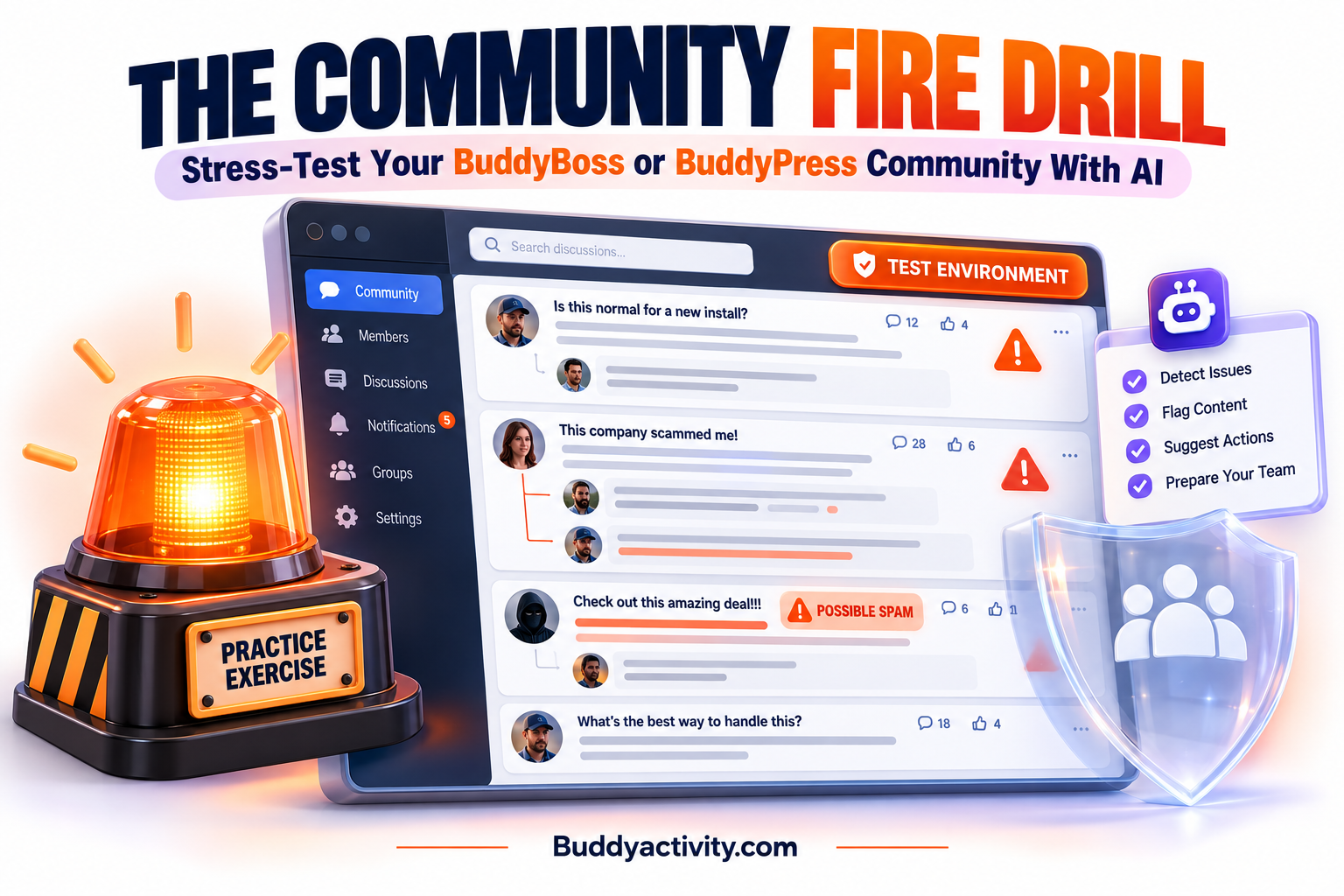
Imagine opening your BuddyBoss community on a normal Tuesday and seeing hundreds of members online. The groups look healthy, new posts are appearing, and nothing seems unusual. Then three difficult situations happen almost at once.
Two members begin arguing aggressively in a discussion thread. Another member shares misleading information, and several people start repeating it. Meanwhile, suspicious accounts post promotional comments across different groups. Your community may be busy, but your moderation team has to make fast decisions with incomplete information.
That is where a Community Fire Drill helps. An online community fire drill is a planned exercise that uses safe, fictional conversations to test your rules, workflows, tools, and team communication before a real incident occurs. With AI-generated scenarios, you can run a BuddyBoss community stress test without exposing real members to conflict or publishing harmful content.
This is not another engagement campaign. It is a practical way to discover where your moderation system breaks under pressure, then fix those gaps while the community is calm.
What Is a BuddyBoss Community Stress Test?
A BuddyBoss community stress test is a controlled review of how your community handles difficult conversations, suspicious behavior, and fast-moving incidents. You create realistic sample posts and replies, run them through your moderation process, and record what your team does next.
The same approach works for BuddyPress moderation testing. The platform matters less than the workflow around it: who notices a problem, who makes the decision, what gets hidden or reported, how members are informed, and when an issue becomes an escalation.
A useful stress test does not try to create the most dramatic scenario possible. It tests common points of failure, such as unclear rules, slow handoffs, missing evidence, inconsistent enforcement, or a moderator who is unavailable when the situation begins.
The takeaway is simple: test the system, not your members.
Why Community Owners Need a Fire Drill
Most moderation plans look complete when they are written in a document. They may include rules against harassment, spam, misinformation, and personal attacks. But a rulebook does not show whether your team can apply those rules consistently while several conversations compete for attention.
A fire drill exposes the difference between knowing what to do and being ready to do it. Your team may discover that moderators disagree about when to delete a post, that nobody knows who handles a serious report, or that the evidence needed for a decision disappears when a comment is edited.
It can also reveal a quieter problem: your community has no shared language for risk. One moderator may see a heated disagreement. Another may see targeted harassment. Without a common process, members receive different answers depending on who is online.
The takeaway is to treat moderation readiness like any other operational capability. It needs practice, review, and clear ownership.
The Three Conversations to Simulate First
Start with scenarios your team could realistically face. AI community conversation simulation works best when each exercise has a clear setting, believable member motivations, and a decision that your moderators must make.
1. A Debate That Becomes Personal
Create a discussion about a sensitive but relevant topic. Let two fictional members disagree, then have one move from challenging an idea to criticizing the other person. Add a reply from a third member who misunderstands the exchange and intensifies it.
Ask your moderators to identify the exact point where the conversation crossed a line. Should they leave the original debate visible, remove one reply, contact both members, pause comments, or move the discussion to a private channel?
This tests whether your rules distinguish disagreement from harassment. It also tests whether moderators can intervene without making a normal debate feel unsafe.
2. A Confident but Misleading Claim
Create a post that sounds helpful but contains an inaccurate claim about a course, product, health topic, policy, or community resource. Give the author a believable reason for sharing it. Then add replies from members who repeat the claim and one member who asks for proof.
The goal is not to embarrass the fictional author. The goal is to test how your team checks information, labels corrections, and prevents a false statement from spreading while preserving a respectful conversation.
This exercise is especially useful for communities where members rely on discussions for education or professional advice. It shows whether your moderation process includes fact-checking and correction, not only deletion.
3. Promotional Comments Across Groups
Simulate a new account that joins several groups and leaves slightly different promotional comments. The account should not look like an obvious cartoon villain. Use a helpful tone, relevant language, and a link that appears to answer the original post.
Ask your team to compare the activity across groups. Do they recognize the pattern? Can they preserve the evidence, restrict the account, notify affected members, and check whether the same account interacted elsewhere?
This tests the difference between moderating one comment and investigating coordinated behavior. It also helps agencies and larger membership businesses decide when a site-wide response is needed.
How to Run an AI Community Conversation Simulation
You do not need a complicated technical setup. The important part is to create a safe boundary between the exercise and your live community.
First, write a short scenario brief. Include the group type, the fictional member roles, the initial post, the expected escalation, and the decision you want to test. Avoid real names, private member details, live payment information, or content copied from an active dispute.
Next, ask an AI tool to create a conversation with several stages. For example, it can generate an opening post, two replies, a moderator report, and a follow-up message from a member who feels ignored. Tell it to label every item as fictional and keep the scenario suitable for private training.
Then run the conversation through your normal review process. If your community uses BuddyBoss or BuddyPress, you can place the exercise in a private training group or review it in a shared document. Do not publish a test scenario to a public group just to see what happens.
Finally, pause the exercise at decision points. Ask the team what they would do, what evidence they need, and who owns the next step. A fire drill is more useful when people explain their reasoning instead of racing to the final answer.
The takeaway is to use AI for variety and realism, while humans remain responsible for judgment.
A Practical Moderation Scorecard
A scorecard turns a conversation simulation into a repeatable WordPress community stress testing process. Keep it short enough to use after every exercise.
Detection
Did anyone notice the issue quickly? Was it reported by a member, flagged by a tool, or found during a routine review? Record how long it took and whether the signal was clear.
Classification
Did the team agree on what happened? Mark the scenario as disagreement, harassment, misinformation, spam, privacy risk, or another category. If people choose different categories, review the definitions.
First Response
Was the first action proportionate? The best response may be a public clarification, a private warning, temporary comment restrictions, content removal, or no action. The scorecard should reward careful decisions, not automatic deletion.
Communication
Did the team explain enough to the affected members? Moderation messages should be clear, calm, and consistent. They should tell members what happened, what rule applies, and what they can do next without exposing private details.
Escalation
Did the issue reach the right person? Define when a lead moderator, community owner, legal adviser, safeguarding contact, or platform provider should become involved. The team should not have to invent this path during an incident.
Recovery
What happens after the visible problem is handled? Check whether the team follows up with affected members, restores a useful discussion, reviews related accounts, and updates the rules or training notes.
Score each category from one to five, then write one improvement for any category below four. The value is not the number. The value is the action that follows it.
Build a Safe Training Environment
Your online community fire drill should never create a second incident. Use a private group with access limited to the moderation team, or keep the exercise outside WordPress if your team is small.
Mark every fictional account and post clearly. If you use screenshots, add a visible training label. Remove the exercise when the review is complete unless you have a reason to keep it as a reference.
Do not ask an AI system to imitate a real member in a way that could expose private information or damage their reputation. Use fictional roles such as a new course member, a long-time contributor, a frustrated customer, or a suspicious promoter.
Also review the AI output before anyone sees it. AI can produce wording that is too aggressive, inaccurate, or unnecessarily personal. The purpose is to generate training material, not to outsource moderation decisions.
Turn the Exercise Into Better Rules
A stress test only matters if the lessons become changes. After each exercise, update one part of your moderation system.
You may need a clearer definition of personal attacks, a faster reporting route, a shared escalation list, or a template for communicating a correction. You may also need to improve moderator access, activity logs, group permissions, or the way your team stores evidence.
If your community is quiet during normal periods, that does not mean it is ready for pressure. You can first review the warning signs in The BuddyBoss and BuddyPress Community Audit: 10 Signs Your Community Needs Help Right Now, then use a fire drill to test the weak areas you find.
The takeaway is to make one small operational improvement after every drill. Small improvements compound into a moderation system your team can trust.
Use AI to Test Activity, Not Just Risk
A strong exercise can also test how your team handles a sudden increase in legitimate activity. Imagine a product launch, course deadline, or live event that creates dozens of real comments and follow-up questions in a short time.
Your team must separate healthy activity from harmful activity without slowing every conversation. This is where a planned activity workflow helps. The guide on how to automate BuddyPress and BuddyBoss activity and keep your community engaged in 2026 explains how structured activity can be created with more consistency.
You can also use virtual members to seed your BuddyBoss or BuddyPress community as part of a private readiness exercise. The purpose is not to make the community look busy. It is to help your team practice reviewing posts, identifying patterns, and keeping useful conversations organized.
A 30-Day Community Fire Drill Plan
In week one, document your current moderation flow. List the rules, reporting channels, moderators, escalation contacts, and tools your team uses. Do not improve it yet; first capture how the process works today.
In week two, run one scenario about a personal conflict and one about misleading information. Keep each exercise short, then hold a review while the details are fresh. Record disagreements rather than smoothing them over.
In week three, run the promotional-account scenario and a high-volume activity scenario. Test whether the same person or team can manage several issues without losing evidence or leaving members without a response.
In week four, publish the revised process internally, assign owners, and schedule the next drill. Rotate the person who leads the exercise so readiness does not depend on one community manager.
After the first month, run a shorter drill each quarter and a deeper review whenever your membership model, moderation team, or community rules change.
Frequently Asked Questions
How often should I run a BuddyBoss community stress test?
Run a short exercise at least once every quarter. Add an extra drill when you launch a new group, change your moderation team, introduce a new membership tier, or expect a major event that could increase activity.
Can AI replace human moderators during moderation testing?
No. AI can create varied fictional conversations and help organize scenarios, but humans must decide what action is fair and safe. Review every AI-generated scenario before using it, and never use it to expose or imitate real members.
Is BuddyPress moderation testing only useful for large communities?
No. Smaller communities often depend on one or two people, so a gap can have an immediate impact. A simple private exercise can show who responds when the owner is unavailable and what members should do when they need help.
What should I do after a community fire drill?
Write down the decisions that were unclear, the handoffs that failed, and the information your team lacked. Then make one concrete change, such as clarifying a rule, adding an escalation contact, improving evidence collection, or creating a response template.
Was this article helpful?
Get fresh community insights in your inbox
Practical guides on growing engaged BuddyPress & BuddyBoss communities. No spam.
Keep reading
Browse all articles
How to Use Virtual Members to Seed Your BuddyBoss or BuddyPress Community
Learn how to use virtual members to seed your BuddyBoss or BuddyPress community, solve the cold start problem, and get real members engaging from day one.
Read article
The BuddyBoss and BuddyPress Community Audit: 10 Signs Your Community Needs Help Right Now
Is your BuddyBoss or BuddyPress community struggling? Run this 10-point community audit to identify exactly what needs fixing and how to fix it fast.
Read article
How to Automate BuddyPress & BuddyBoss Activity and Keep Your Community Engaged in 2026
Your BuddyPress or BuddyBoss community launched. Members joined. Then it went quiet. Learn how to automate BuddyPress and BuddyBoss activity so your feed stays alive, members keep coming back, and engagement builds on its own.
Read article